Plan today in a few drags
Drag tasks onto the timeline, move or resize blocks, or auto-schedule the whole day.
Tasks, projects, money, time and reviews — everything a one-person company runs on, in one open-source workbench you can self-host on Cloudflare.
No sign-up. The demo keeps your data in your browser.
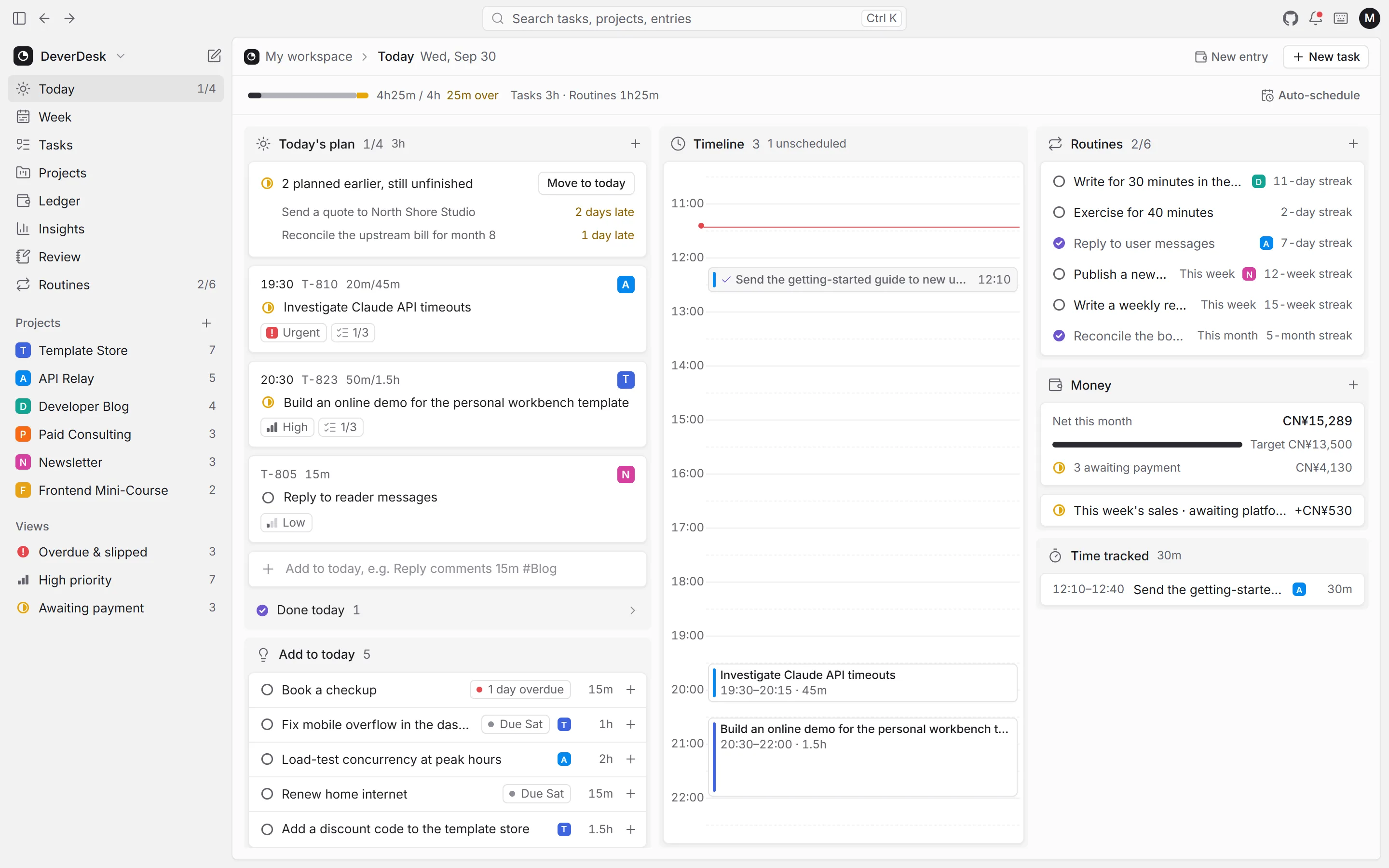
Plan, track, bill and review — all connected.
Drag tasks onto the timeline, move or resize blocks, or auto-schedule the whole day.
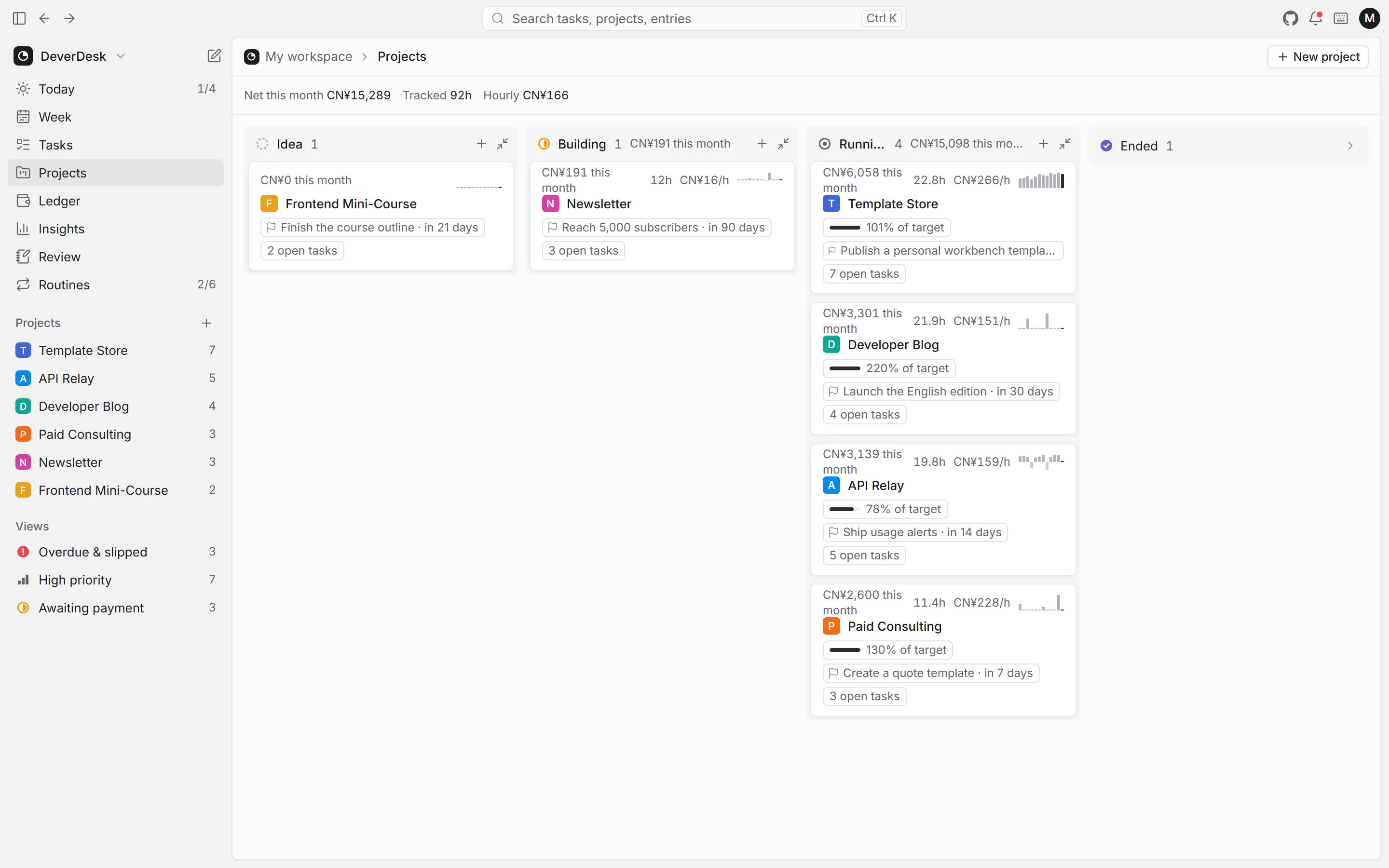
Track each project by stage — this month's income, time spent, monthly goal and the next milestone at a glance.
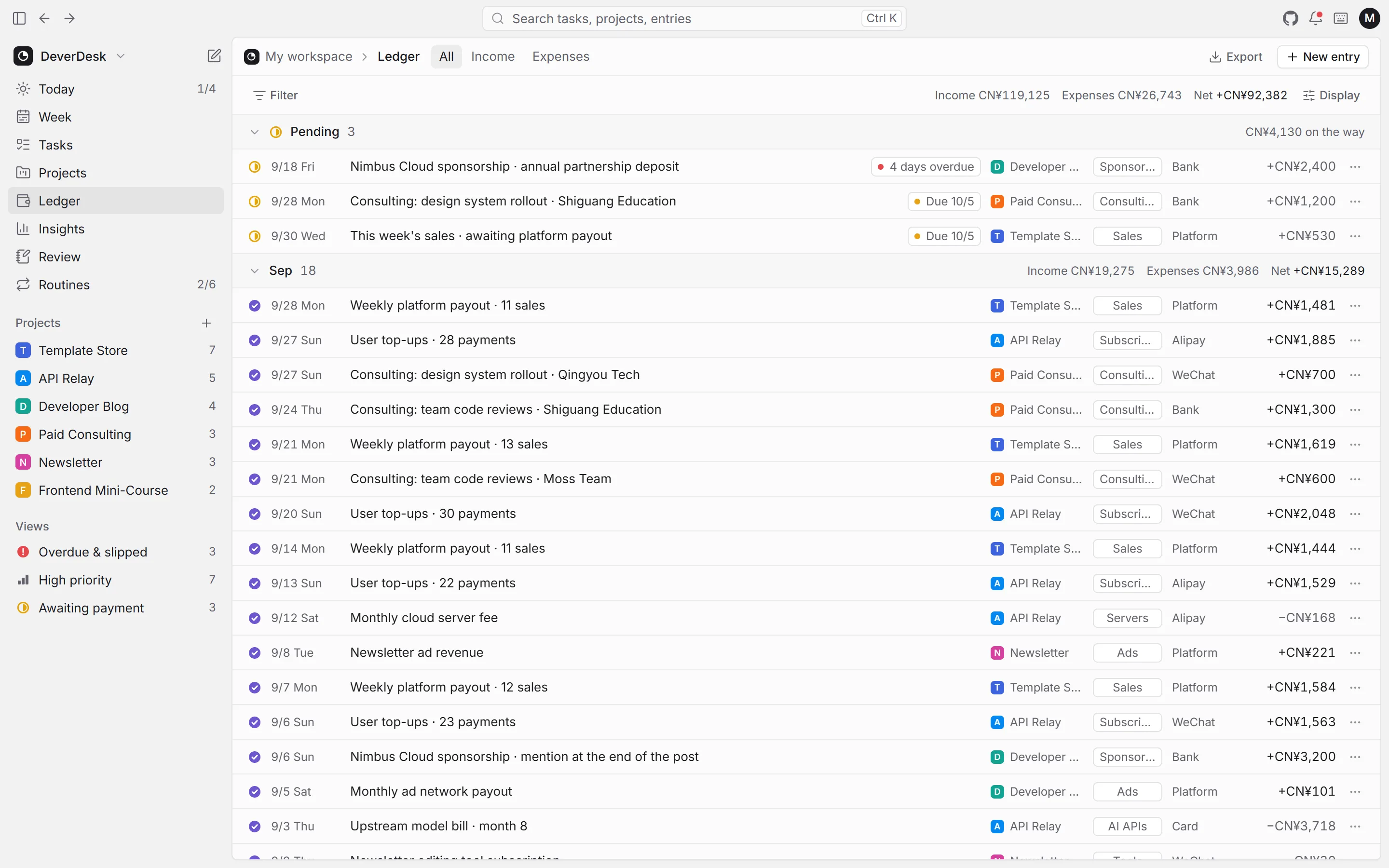
Pending payments stay on top, and you get a nudge when one is late.
Duration, project, date and priority are picked out of a single line — in English or Chinese.
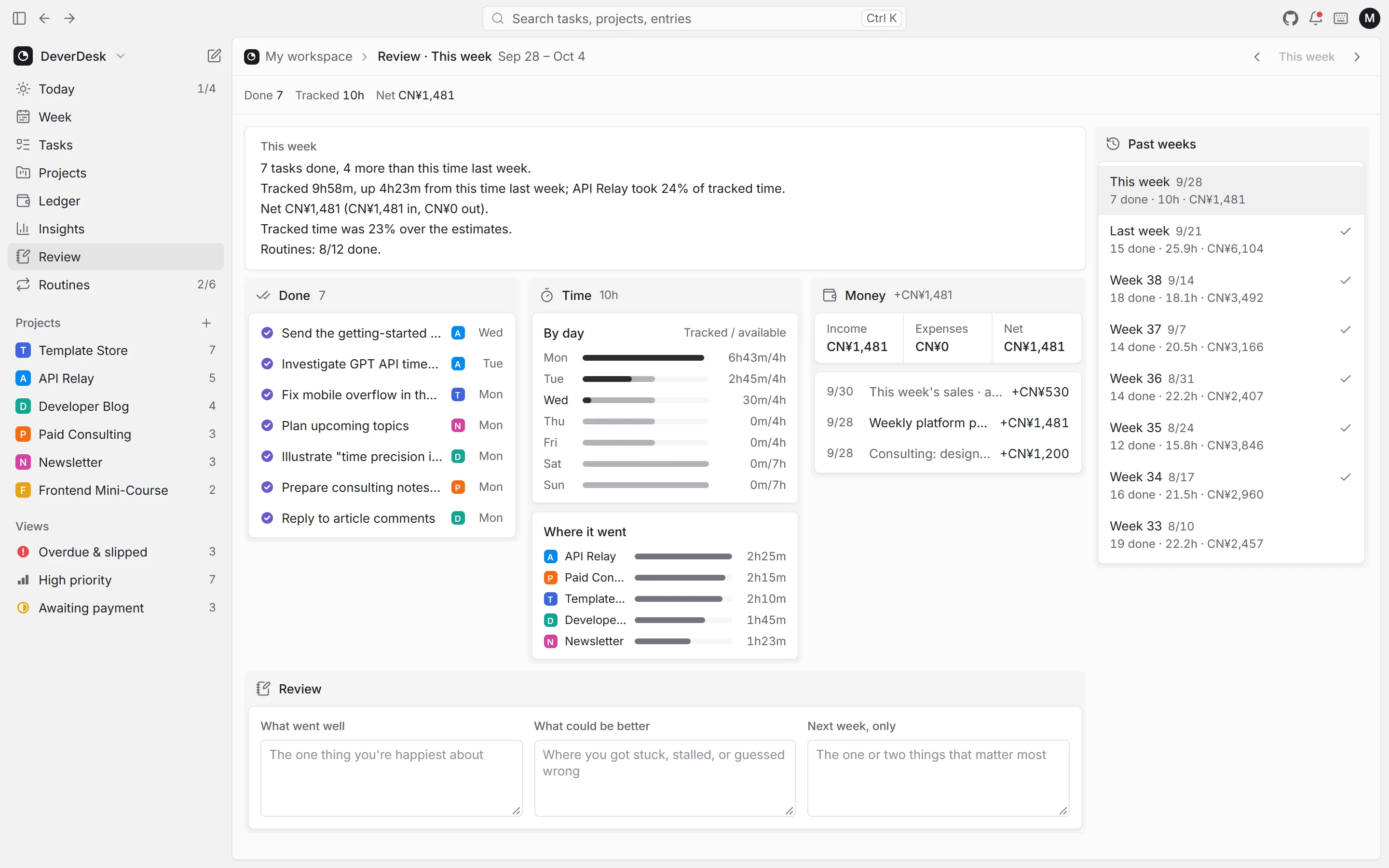
What got done, where the time went and what came in — one paragraph a week.
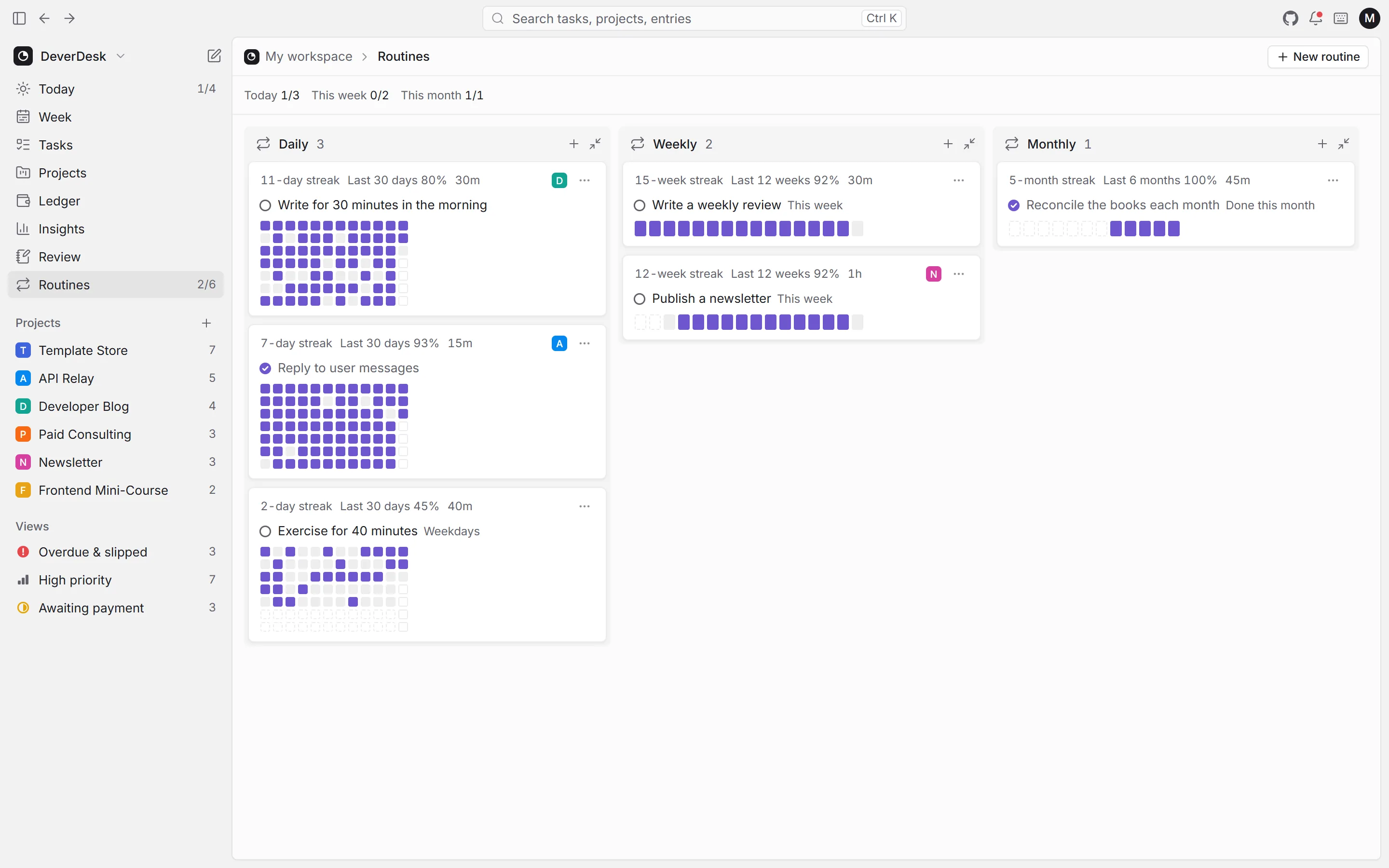
Daily, weekly and monthly routines, with streaks you can see at a glance.
Take all your data in one file. It's also how you move from local to cloud.
Tasks, projects and ledger entries from a single search box.
Overbooked days, overdue tasks and late payments show up in one place.
Run a timer or log time afterwards, so you always know where the hours went.
Real screens, with the same sample data as the live demo.
The cloud edition runs on your own Cloudflare. Changes sync record by record, and it keeps working offline.
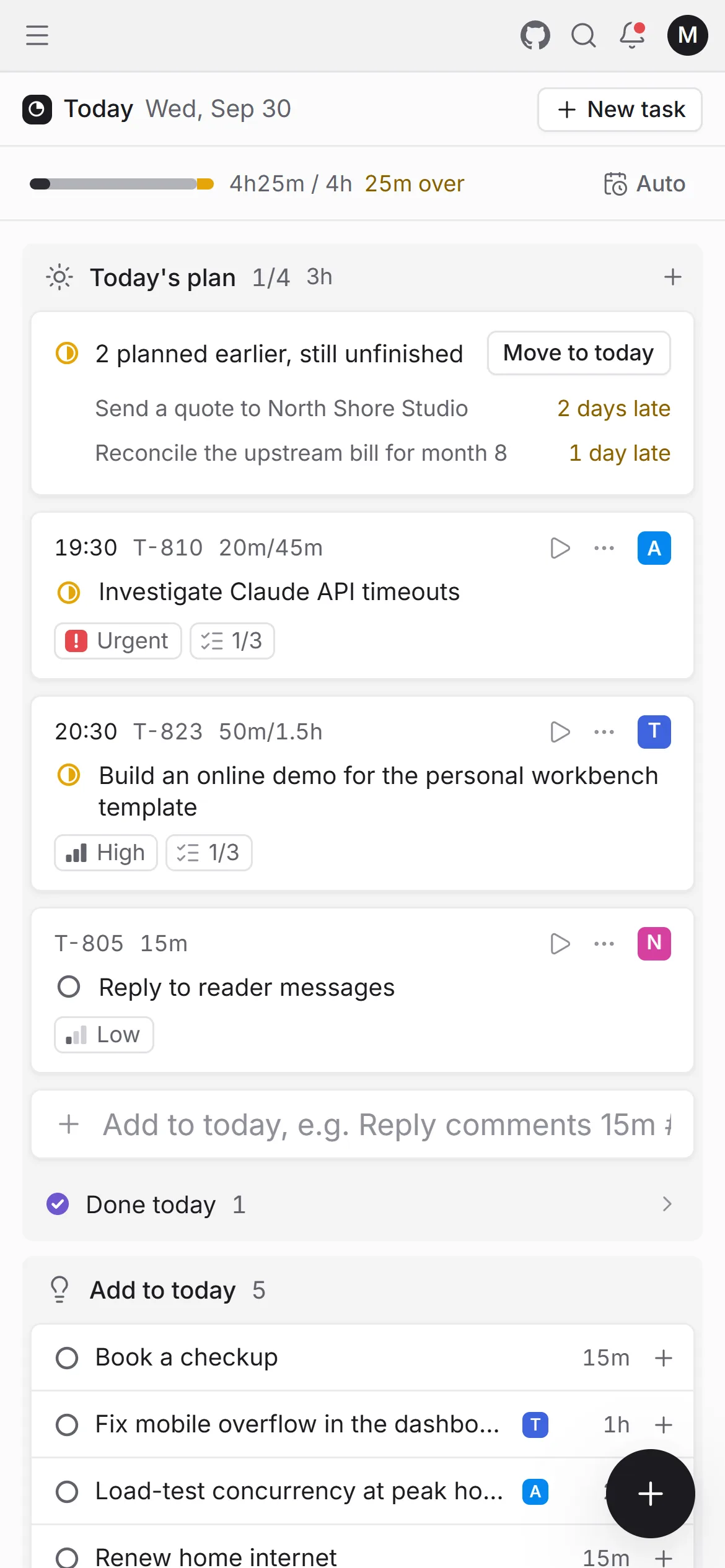
One button in the corner for whatever comes up.
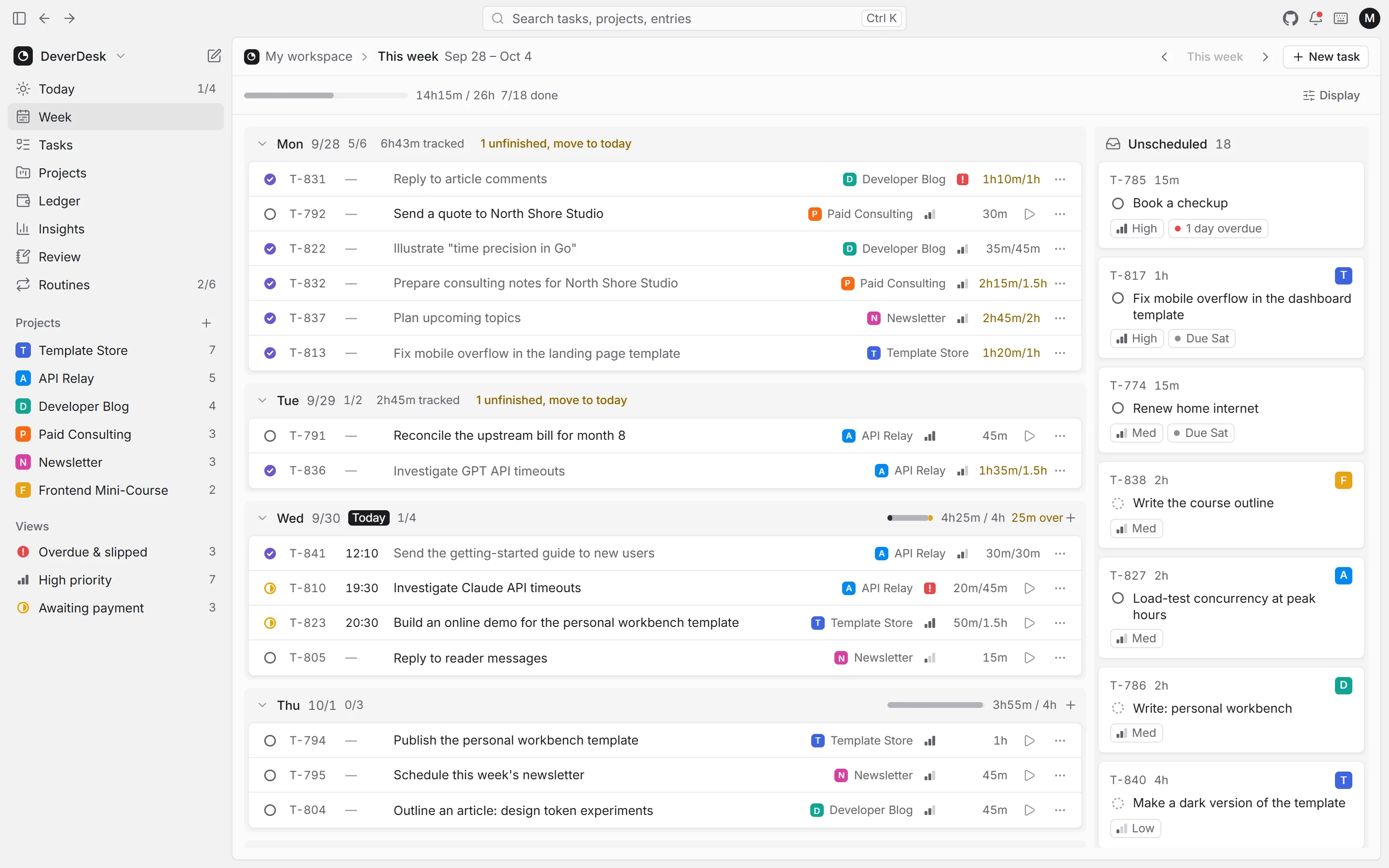
Timeline, boards and shortcuts — plan the week in minutes.
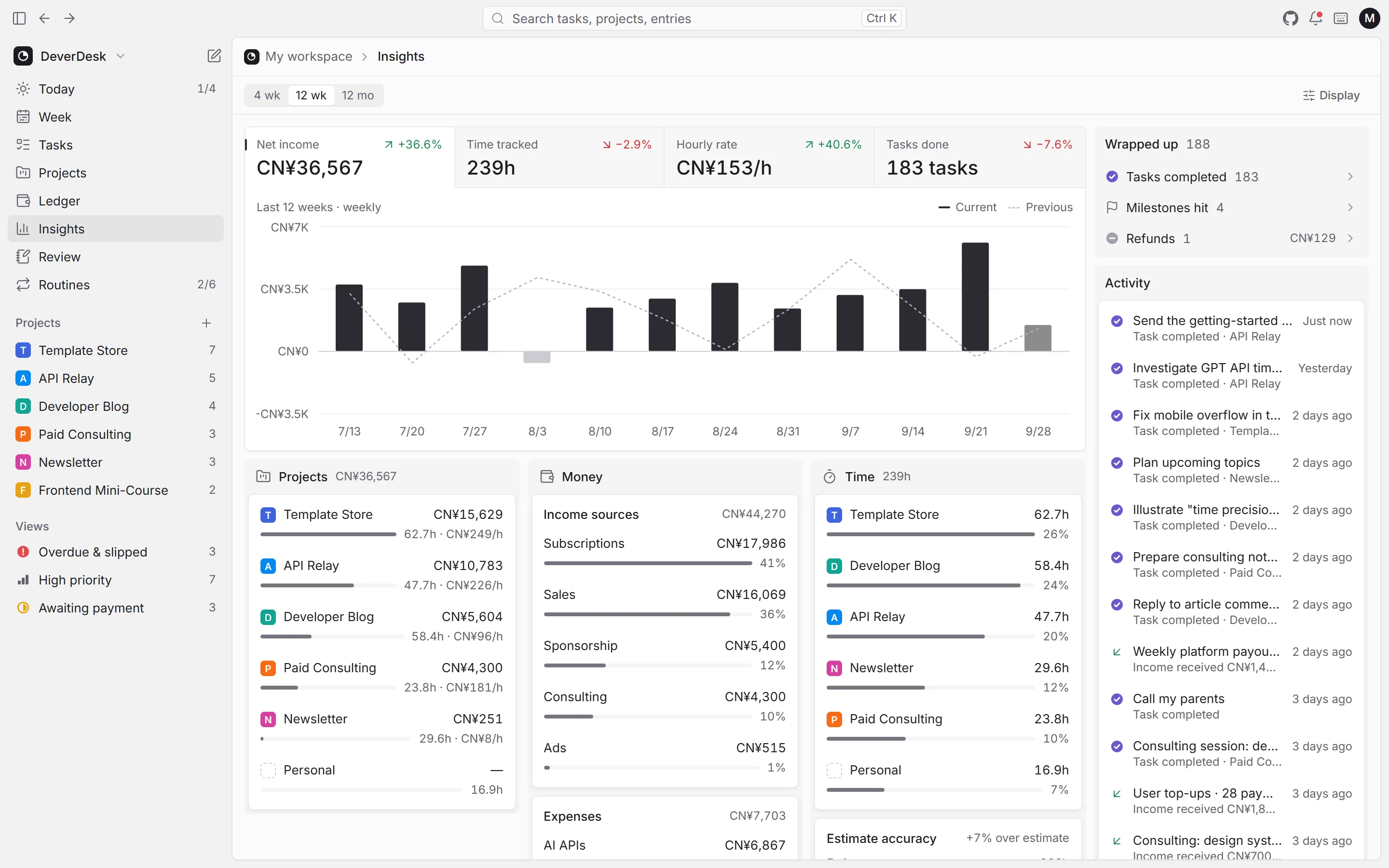
Charts and weekly reviews for a quiet weekend.
No sign-up. Your data lives only in this browser, and nothing is stored on a server.
One Worker and one D1 database. The free tier is more than enough for one person.
Export a backup any time. Moving from local to cloud is an export and an import.
Open source
The app, the cloud backend and even this website live in one open repository. It's released under AGPL-3.0: use it, change it and host it yourself — and if you offer a modified version as a service, share your source too.
The professional workbench for one-person companies: tasks, projects, money, time and reviews in one place.
Local development runs the app and the API together; the passcode is printed in the terminal.
Running a company on your own, you meet these every day.
Try the demo“Three projects at once — how far along is each one?”
“Eight things on my plate. What comes first today?”
“The client said end of the month. What's the date today?”
Can't find an answer? Open an issue on GitHub(opens in a new tab)
Tasks (board, list and a timeline for planning), projects (by stage, with monthly goals and milestones), money (pending, received, refunds and CSV export), time tracking, routines and weekly reviews — all in one connected workbench.
Nothing. DeverDesk is open source under AGPL-3.0. The local edition runs right in your browser, and the cloud edition runs on your own Cloudflare account within the free tier for personal use.
The local edition keeps data in this browser only — no sign-up and no sync. The cloud edition runs on your own Cloudflare, syncs your phone and computer, and works offline. Both are built from the same code.
The interface is in English and Chinese, picked from your browser language. The bookkeeping currency is a separate setting: CNY, USD, EUR, GBP, JPY, HKD, TWD, SGD, CAD or AUD.
A Cloudflare account and a GitHub account. Click Deploy to Cloudflare: it copies the repository, creates the D1 database and asks you for a passcode.
For one person, yes. The cloud edition is a single Worker and a single D1 database, and everyday use stays well within the free tier.
Yes. Find the Worker in the Cloudflare dashboard and add a custom domain in its settings.
Choose Export backup from the avatar menu in the local edition, then Import backup in your cloud edition.
Anyone can use, modify and self-host it for free, individuals and companies alike. Only if you offer a modified version to others as an online service do you need to publish your changes.
No. Local-edition data stays in your browser and cloud-edition data stays in your own Cloudflare account. Neither passes through our servers.
Issues and pull requests on GitHub are welcome — have a look at the contributing guide before you start coding.
Start with the live demo — your data stays in your browser. When you want sync across devices, deploy it to your own Cloudflare.